
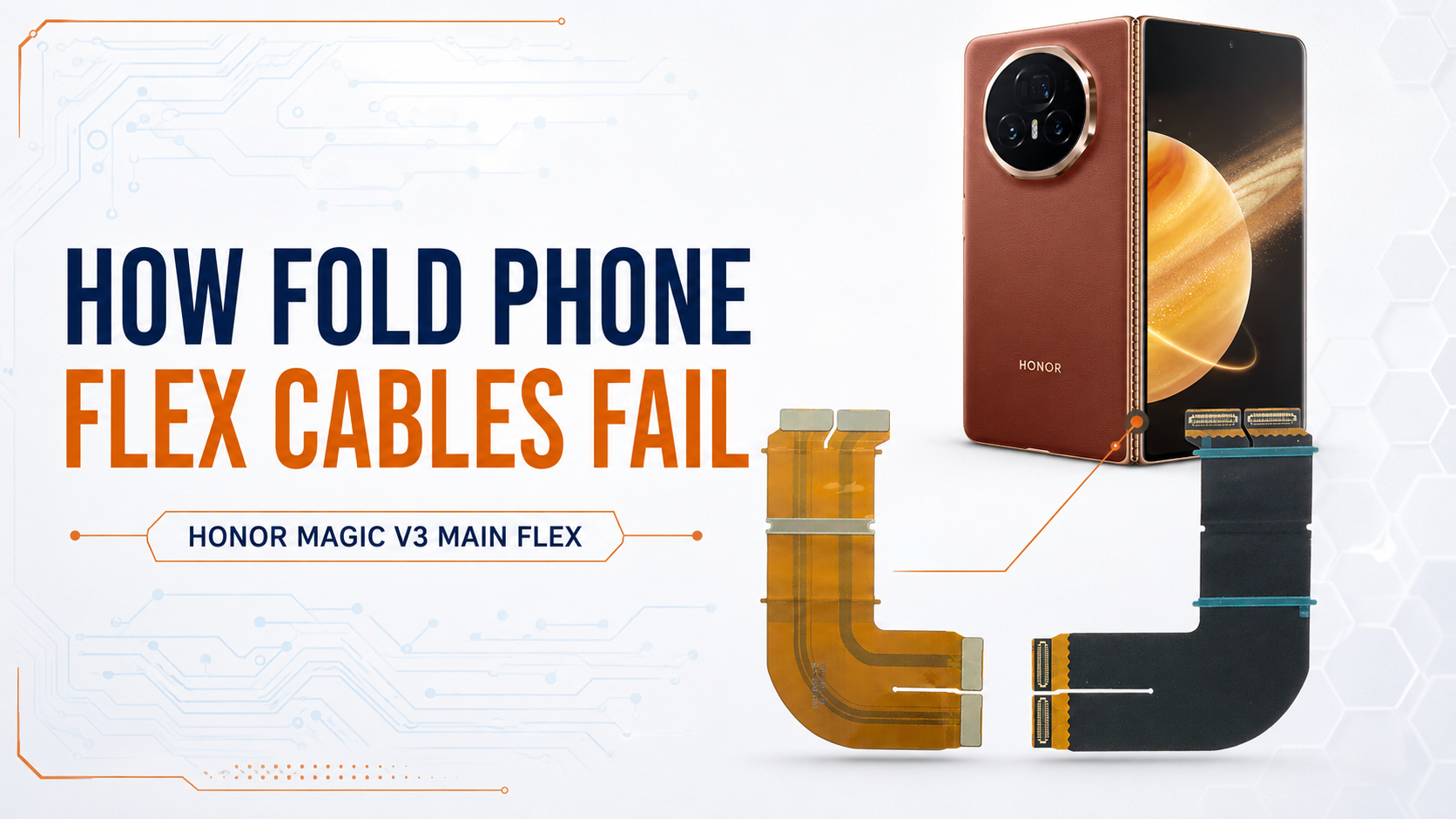
Foldable-phone flex cables bend every time the device is opened or closed. Learn why these cables fail, the warning signs and whether the phone can be repaired without replacing its complete display.
How Fold Phone Flex Cables Fail
Foldable phones use flexible cables to carry power, display signals, touch data and other communications between components. Unlike the cables inside traditional smartphones, some fold-phone flex cables must move whenever the device is opened or closed.
Although they are designed to survive thousands of folding cycles, repeated movement, heat, physical damage and hinge problems can eventually weaken them.
A damaged flex cable can cause display failure, touch problems, random restarting or even a completely dead phone.
What Is a Flex Cable?
A flex cable is a thin, flexible circuit containing multiple microscopic conductive tracks. It connects different components without requiring rigid wires.
Depending on the model, a foldable phone may contain flex cables for:
The inner folding display The cover display Touchscreen signals Battery and charging connections Cameras and sensors Side buttons and fingerprint sensors Communication between the two sections of the phone Hinge-area signal transmission
Some cables are removable and replaceable. Others are permanently bonded to the OLED display panel, making the repair considerably more difficult.
Why Do Fold-Phone Flex Cables Fail? 1. Repeated Folding and Unfolding
Every time the phone is folded, the hinge-area cables bend. Over thousands of cycles, the conductive tracks inside a cable can develop microscopic cracks.
Initially, the connection may work at certain angles. As the damage progresses, the track can separate completely and cause permanent failure.
This is known as mechanical fatigue.
2. Excessive Hinge Pressure
A stiff, misaligned or damaged hinge can place abnormal pressure on the cables passing through the folding area.
This can stretch, pinch or scrape a cable. It may also damage the protective layers surrounding it.
If a foldable phone becomes difficult to open, does not open fully or makes unusual sounds, it should be inspected before continued use causes additional damage.
3. Drops and Physical Impact
A phone does not need visible external damage for its internal flex cables to be affected.
A drop can:
Shift the hinge mechanism Partially disconnect a connector Tear a weakened cable Damage soldered or bonded contact points Create cracks in the display or motherboard connections
Problems may appear immediately or develop gradually after the impact.
4. Heat
Excessive heat can weaken adhesives and protective materials around flex cables. Repeated heating and cooling also cause components to expand and contract.
Heat may come from:
Heavy gaming Fast charging Direct sunlight A failing battery Motherboard faults Incorrect repair procedures
When heat combines with repeated folding, cable deterioration can happen faster.
5. Dust, Sand and Small Particles
Dust or sand entering the hinge can interfere with its movement. Hard particles may create pressure against internal cables or prevent the hinge from operating smoothly.
Foldable phones should be kept away from sandy environments, particularly beaches, construction areas and dusty workspaces.
6. Liquid Damage and Corrosion
Moisture can enter through the hinge or other openings and cause corrosion on flex-cable connectors and exposed contact points.
The phone may continue working initially, but corrosion can gradually damage the connection. Eventually, the device may develop intermittent display, touch or power problems.
7. Incorrect Previous Repair
Flex cables must be positioned accurately during reassembly. A cable that is folded incorrectly, trapped beneath another component or installed without the correct protective layers may fail quickly.
Excessive heat, unsuitable adhesive or physical pressure during repair can also damage the cable or its bonded joints.
Common Signs of Flex-Cable Failure
The symptoms depend on which cable or connection is damaged.
Possible warning signs include:
Inner screen works only at certain angles Display turns off when the phone is opened Screen flickers while folding or unfolding Touch works intermittently Cover screen works but the inner screen does not Inner screen works but the cover screen does not Phone restarts when folded Device suddenly becomes completely dead Cameras, sensors or speakers stop working Charging or network functions become unstable
These symptoms do not always confirm a flex-cable problem. Similar faults can be caused by the OLED panel, connector, hinge, battery or motherboard.
A professional inspection is necessary before deciding which component should be replaced.
Why Does the Screen Work at Certain Angles?
A partially damaged cable may still make contact when the phone is positioned at a particular angle.
When the phone is moved, the cracked conductive track separates and the signal is interrupted. This may cause the screen to flicker, turn black or temporarily lose touch functionality.
Continuing to fold the device can convert a partial break into complete cable failure.
If the display changes while opening or closing the phone, stop folding it repeatedly and arrange an inspection.
Is Flex-Cable Failure the Same as Screen-Protector Damage?
No. The inner screen protector is installed above the flexible OLED panel, while the flex cables and bonded display connections are located inside the device.
However, a protector lifting or forming bubbles around the crease can create additional pressure on the delicate inner screen. Repeated folding in this condition may damage the OLED panel.
A lifting factory-installed protector should not be removed or replaced at home. It should be inspected by a technician familiar with foldable displays.
Can a Fold-Phone Flex Cable Be Repaired?
Yes, The correct solution depends on the cable design and the location of the damage.
Replaceable Flex-Cable Repair
If the damaged cable is a separately removable component, it may be possible to replace only that cable.
This can be more economical than replacing the entire display assembly.
Display Flex-Cable Replacement
Some specialist repair centres can replace certain damaged display flex cables. This is an advanced procedure because the flexible OLED panel is extremely thin and easily damaged during separation.
The display and replacement flex must be positioned with microscopic accuracy. Heat and pressure are then applied to create the connection through ACF bonding material.
This repair requires specialist equipment, alignment experience and precise temperature and pressure control.
Complete Display Replacement
If the OLED panel is cracked, internally damaged or unsuitable for flex repair, replacing the complete display assembly is the only solution.
The technician should compare the repair cost, success possibility and condition of the phone before recommending an option.
Will Flex-Cable Repair Delete My Data?
Replacing a flex cable or display normally does not erase the information stored on the phone.
If your photos or other files are important, inform the technician before approving:
Motherboard replacement Software restoration Factory resetting Storage-related repair What Should You Do When Symptoms Appear?
If your foldable phone begins flickering, losing touch or turning off while folding:
Stop repeatedly opening and closing it. Keep the phone in the position where the display remains stable. Back up your data immediately if the device is still accessible. Do not press the folding area. Do not apply heat or attempt a home repair. Have the hinge, display and internal cables professionally inspected.
Early inspection may prevent a repairable cable fault from developing into complete display damage.
Final Thoughts
Fold-phone flex cables are engineered for constant movement, but they are not indestructible. Mechanical fatigue, hinge pressure, drops, heat, liquid and incorrect repairs can eventually damage their microscopic conductive tracks.
Because several different faults can produce similar symptoms, accurate diagnosis is essential. The problem may be a replaceable cable, a bonded display connection, the OLED panel or the motherboard.
ATM Mobile Phone Repair specialises in diagnosing Fold and Flip display, hinge and flex-cable problems. After inspection, the available repair options and possible risks can be explained before work begins.
Was this article helpful?